The engine, in real interfaces
The same four bricks from the articles, put to work. A desktop app that indexes a folder of documents and answers, and per-article web demos. In both, every step stays visible.
The document workstation
A desktop application that indexes a folder of documents and answers your questions, on your machine. The engine runs locally through a Python sidecar.
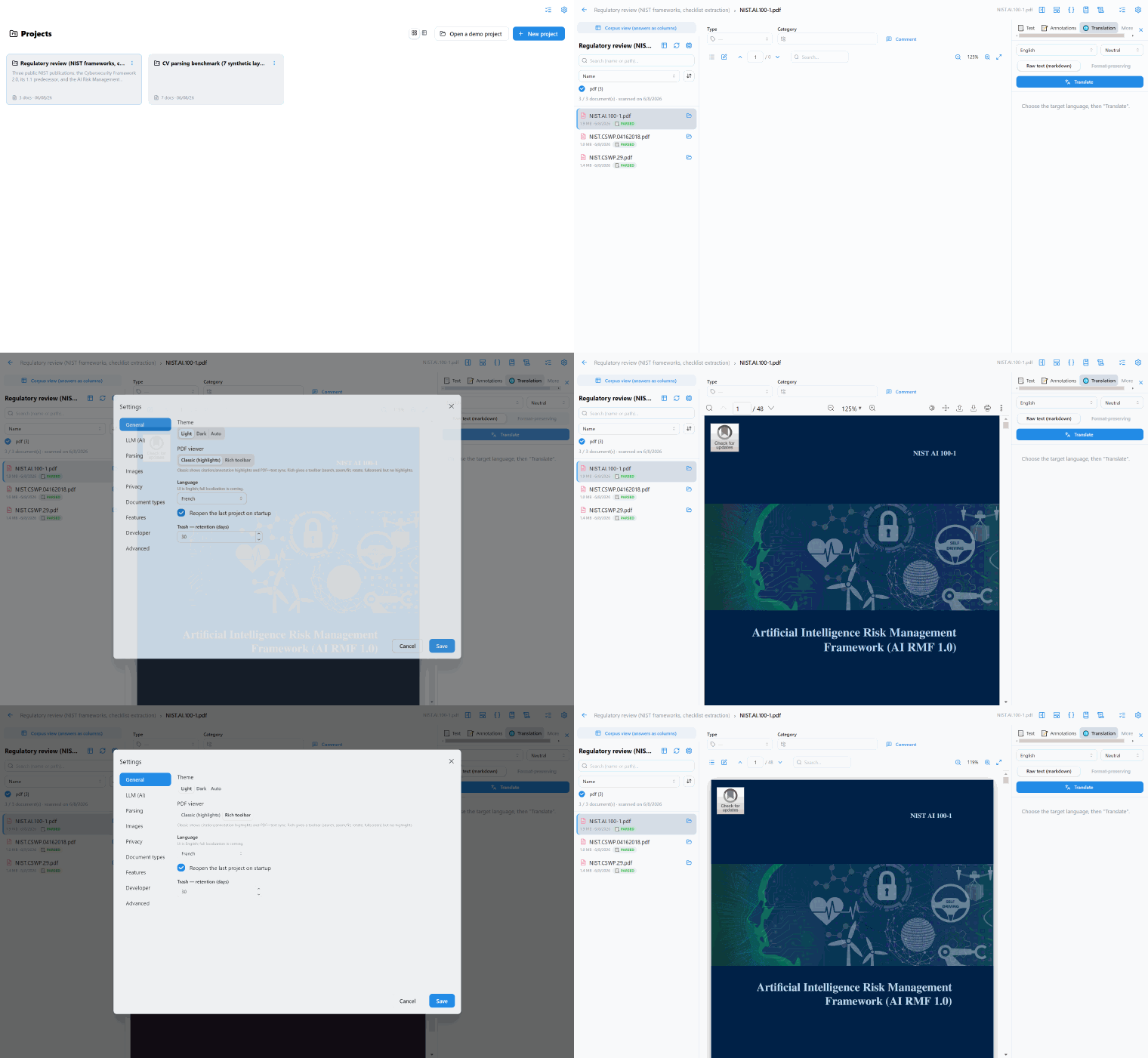
Every answer shows its process
The "how this answer was produced" panel unfolds the four bricks: document parsing, question parsing, retrieval, generation. Nothing is hidden, everything is replayable.
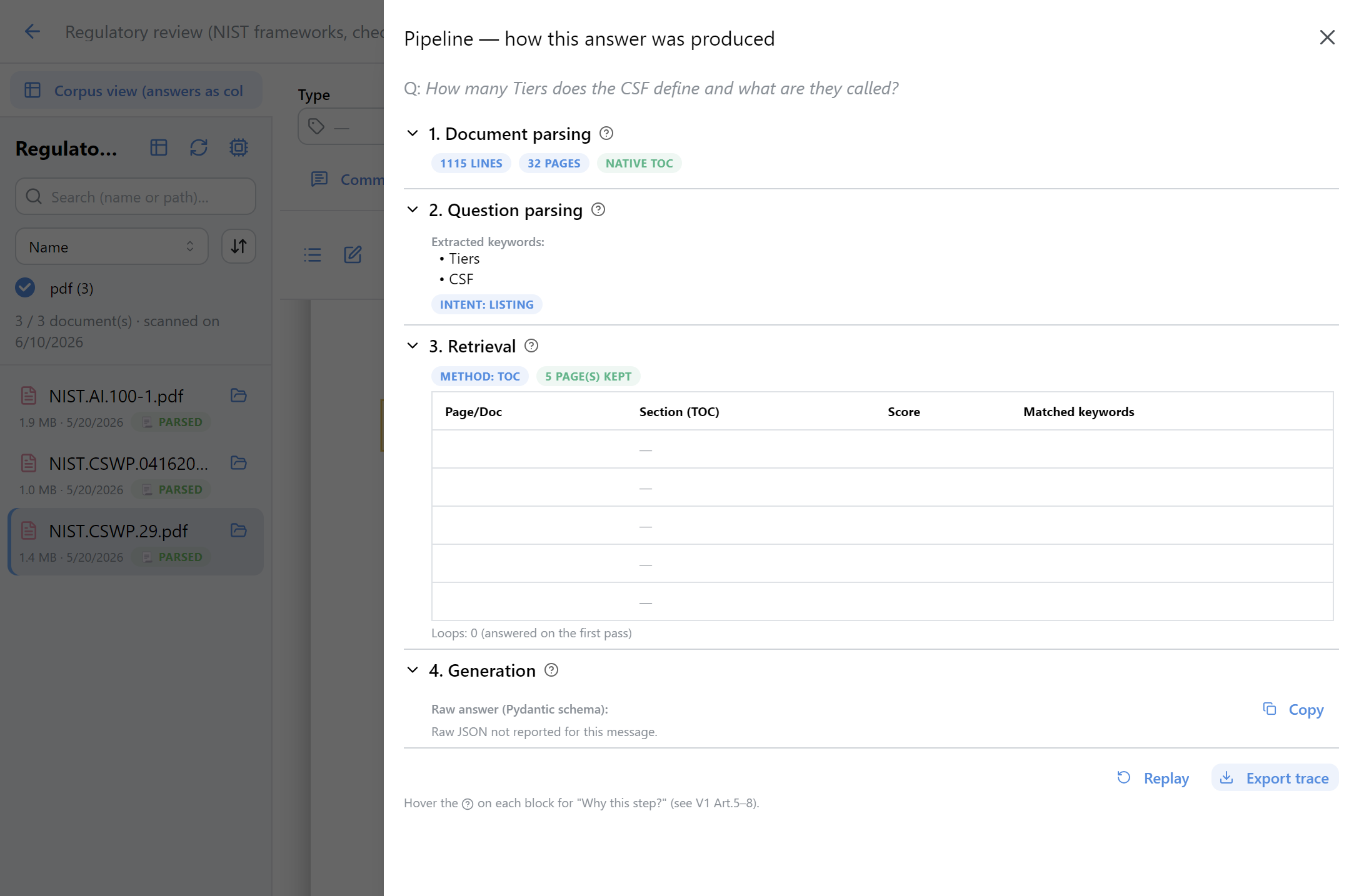
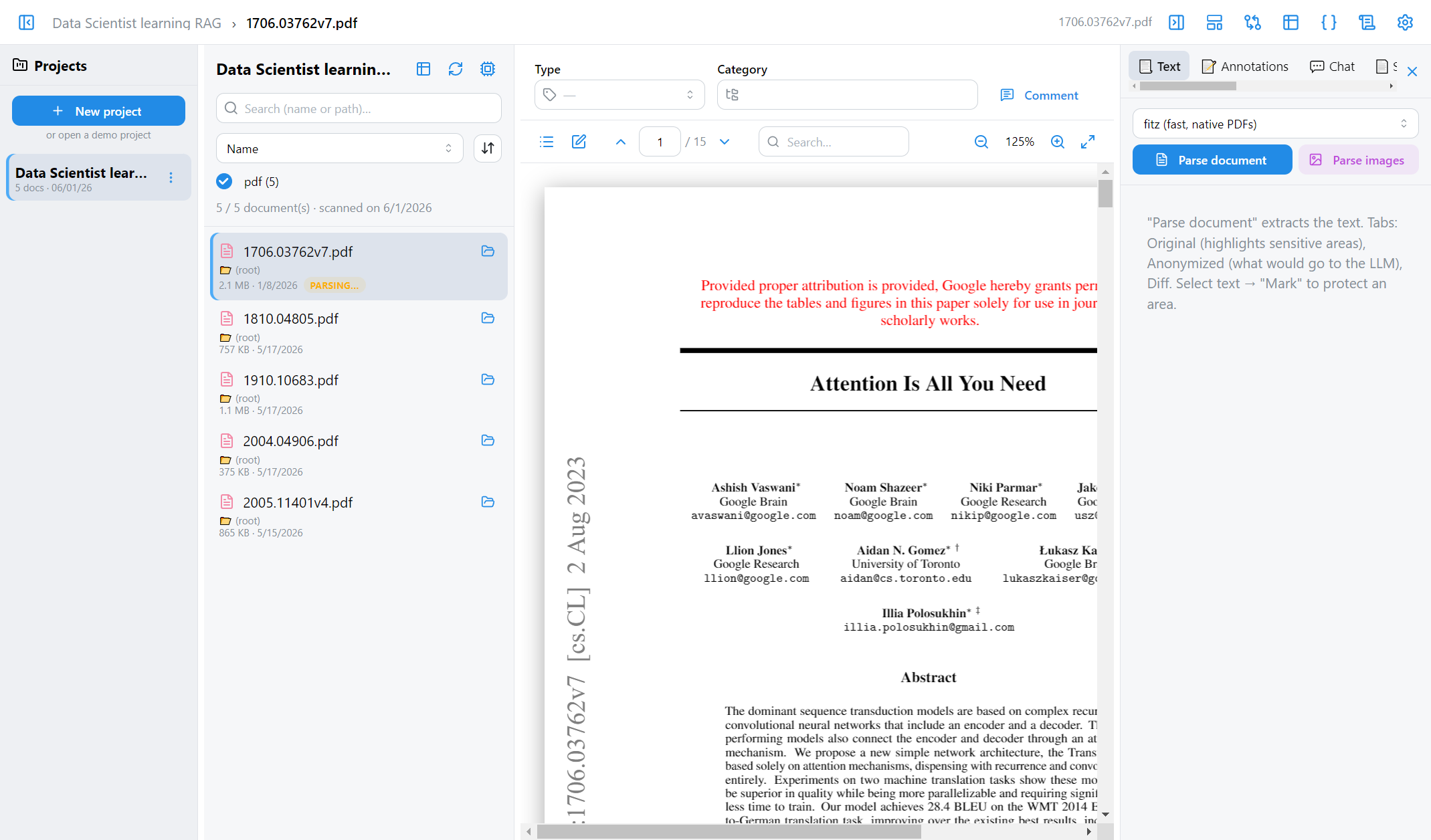
The document stays at the center
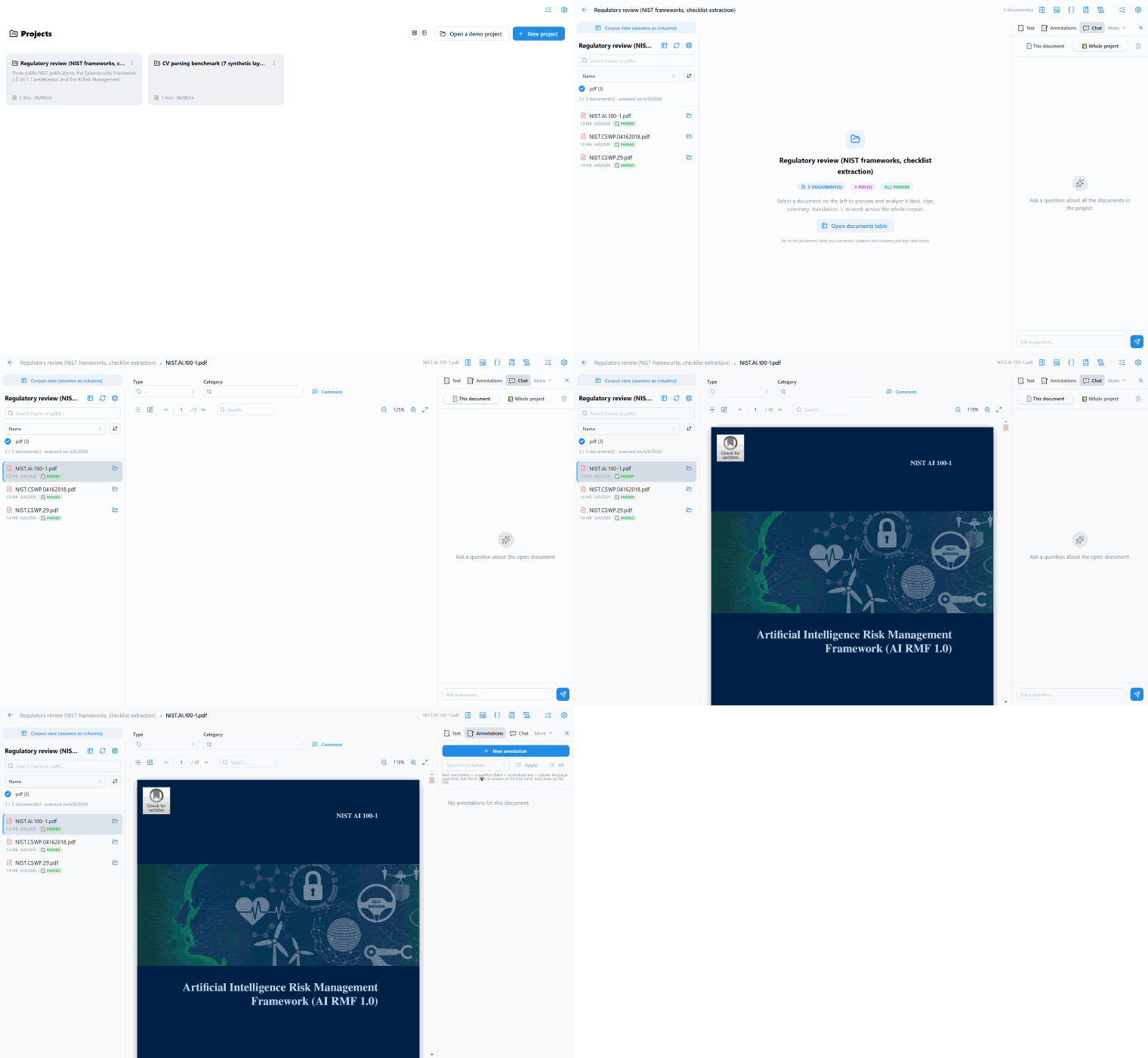
The PDF is shown as-is, with parsed text, annotations and chat alongside. You read the source, you never lose sight of it.
In action
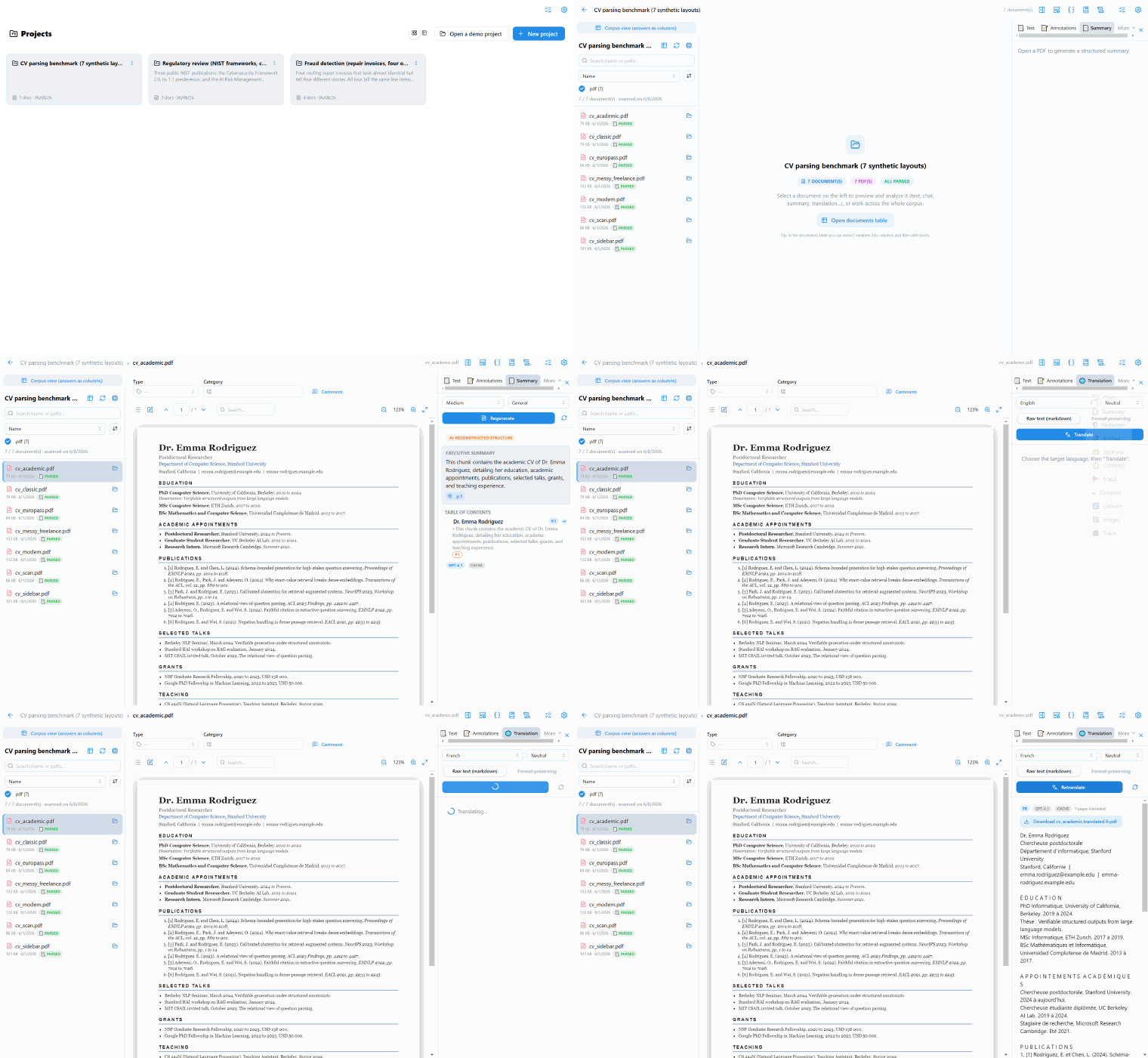
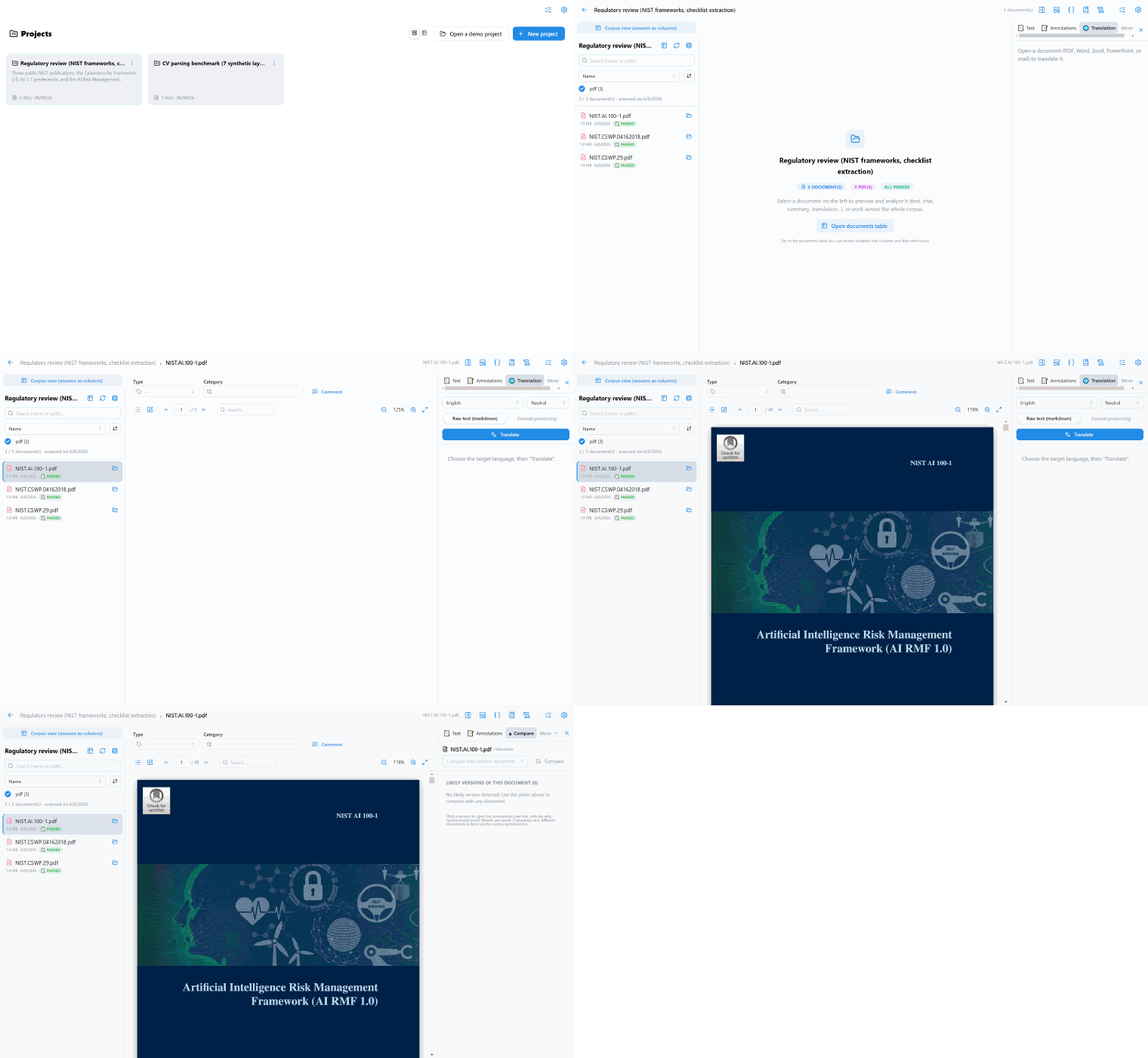
A few scenarios, from corpus-wide chat to typed intents.
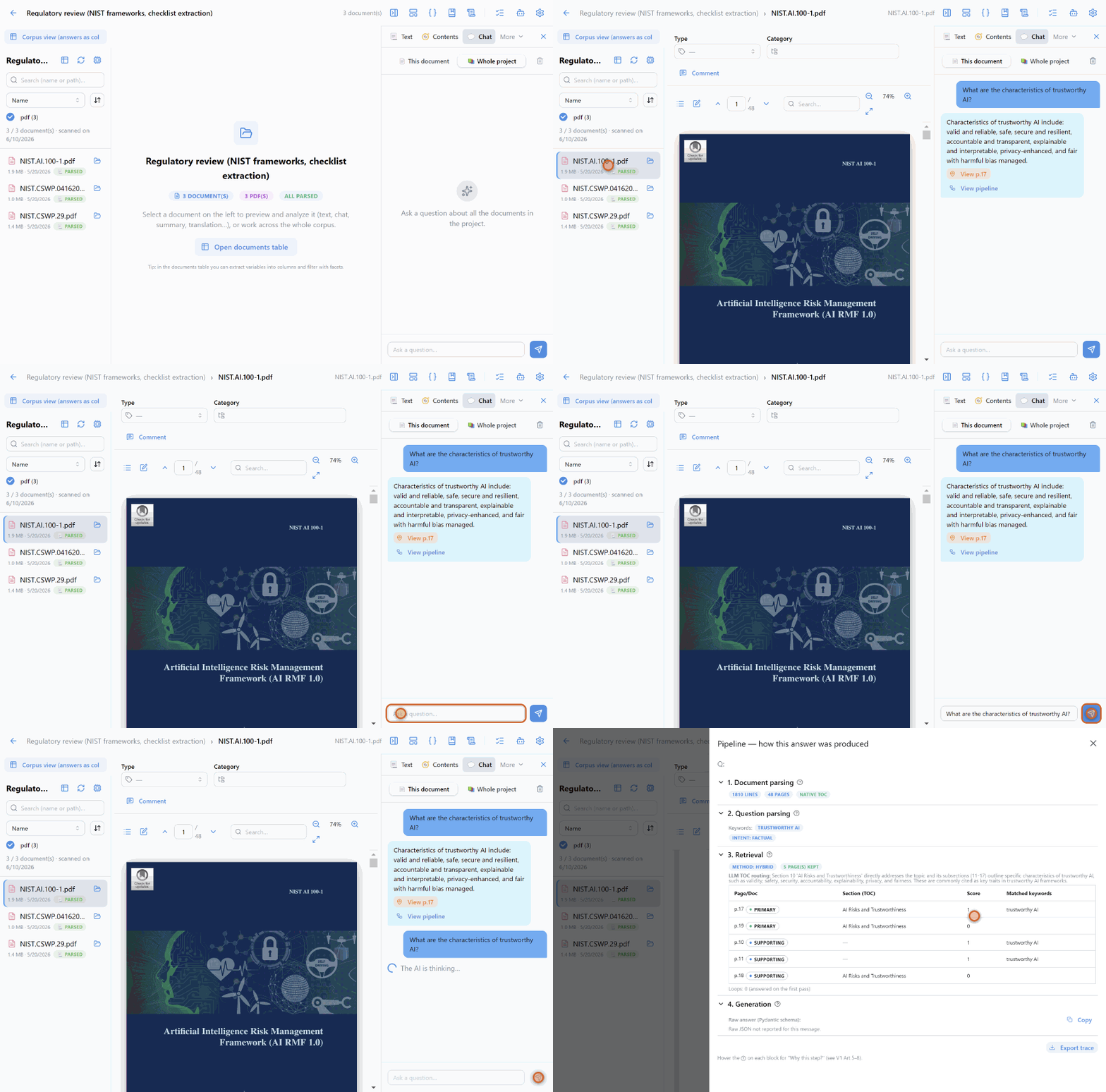
How it works
Everything stays local: the index lives in a folder next to the scanned files, nothing leaves for a server.
Thirty-five tools, one per gesture
Each tool does ONE thing and shows all of it: the document on screen, the answer quoted, the page highlighted. They are filed by what you do with them, not by technology. The shots below are taken from the running apps, not drawn.
Static gallery: the shots are frozen, the tools run on our side on your documents. For a trial on yours, get in touch.
Ask a document14
 Ask a document
Investment funds
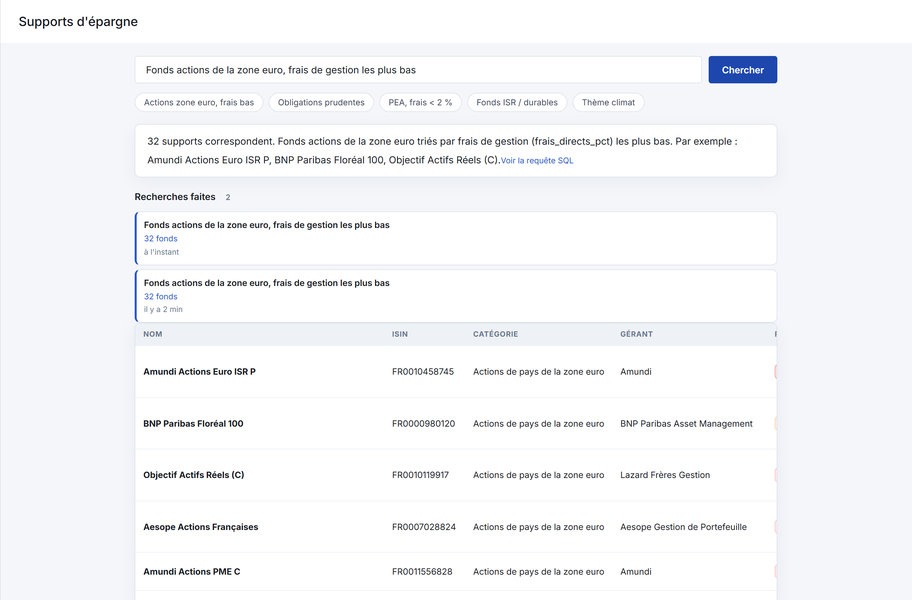
Describe the fund you are after: the agent writes the SQL and filters 484 unit-linked funds extracted from product documents.
 Ask a document
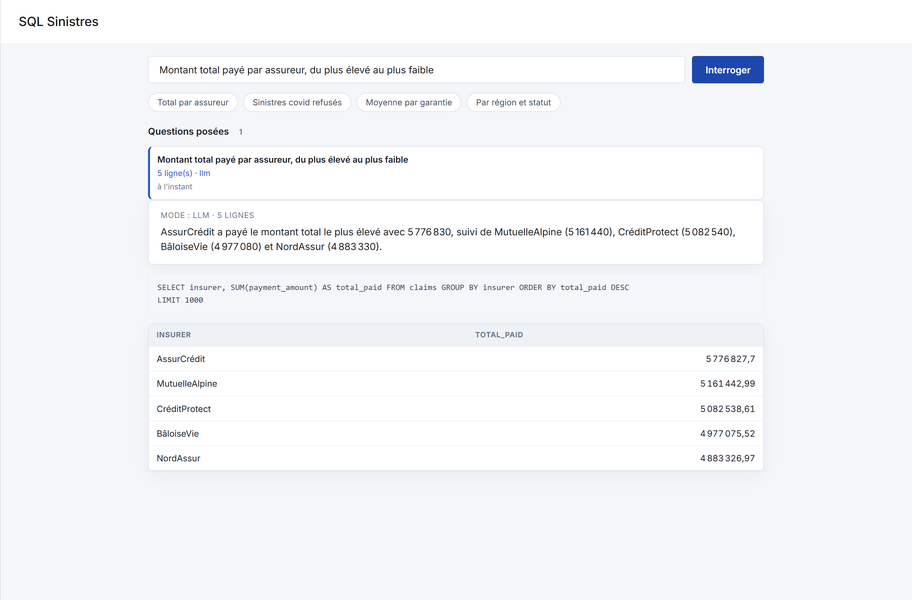
Claims SQL agent
Query a claims database in plain language: read-only SQL, a table and a short synthesis. Synthetic data.
 Ask a document
HR documents
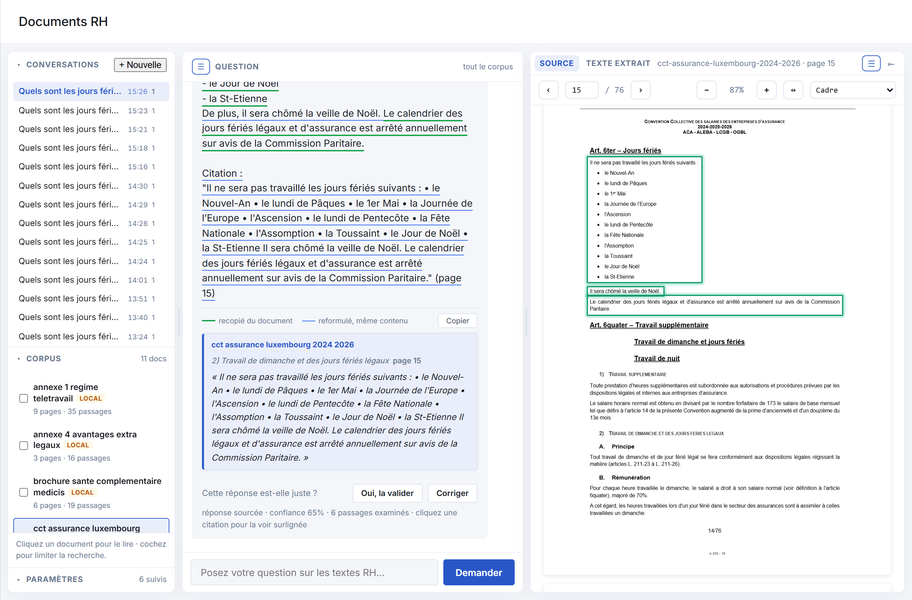
Ask a question across HR texts (labour code, collective agreement, official guides). Every answer cites the document, the page and the exact sentence.
 Ask a document
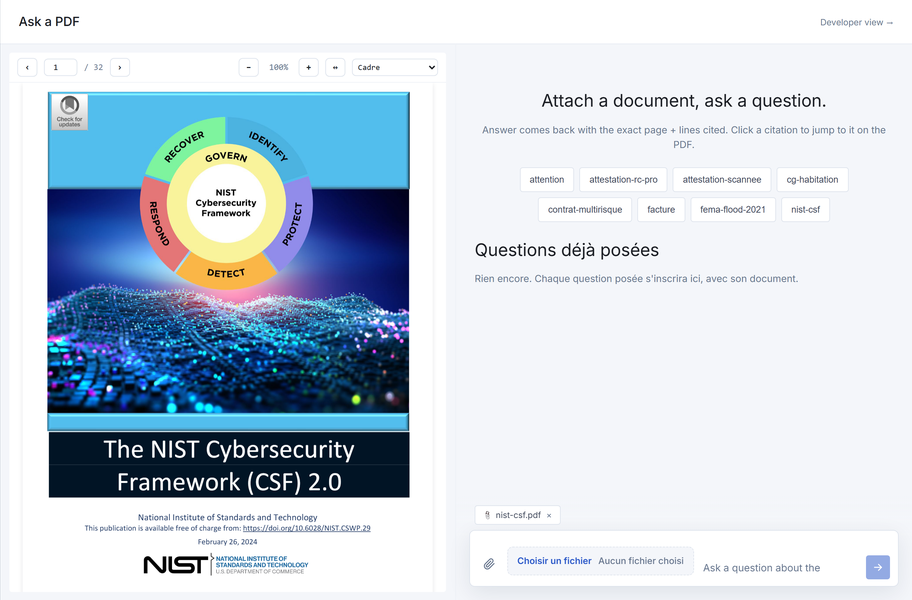
Ask a PDF
Ask a document a question: the answer comes back quoted and highlighted on the page.
 Ask a document
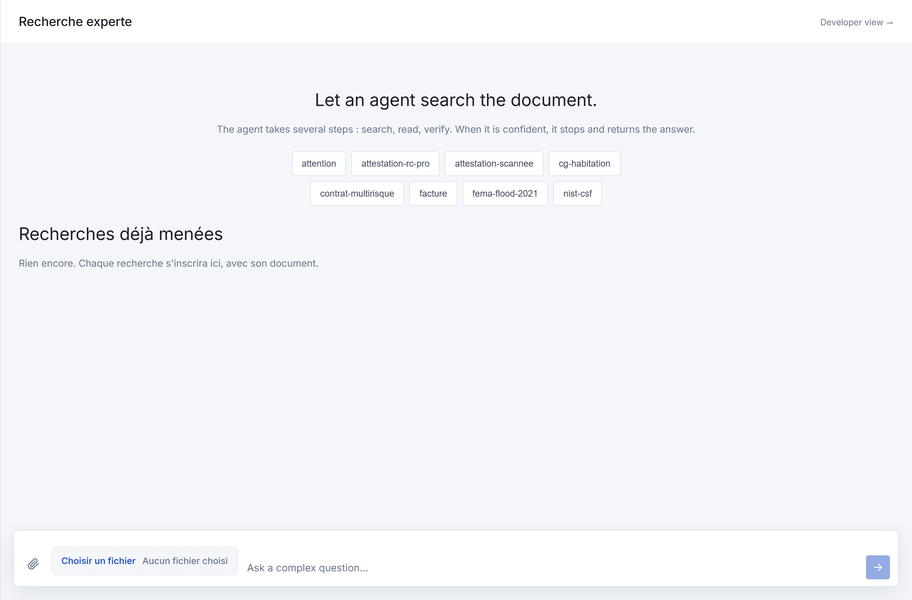
Expert search
An agent that searches, reads and checks inside the document until the answer holds.
 Ask a document
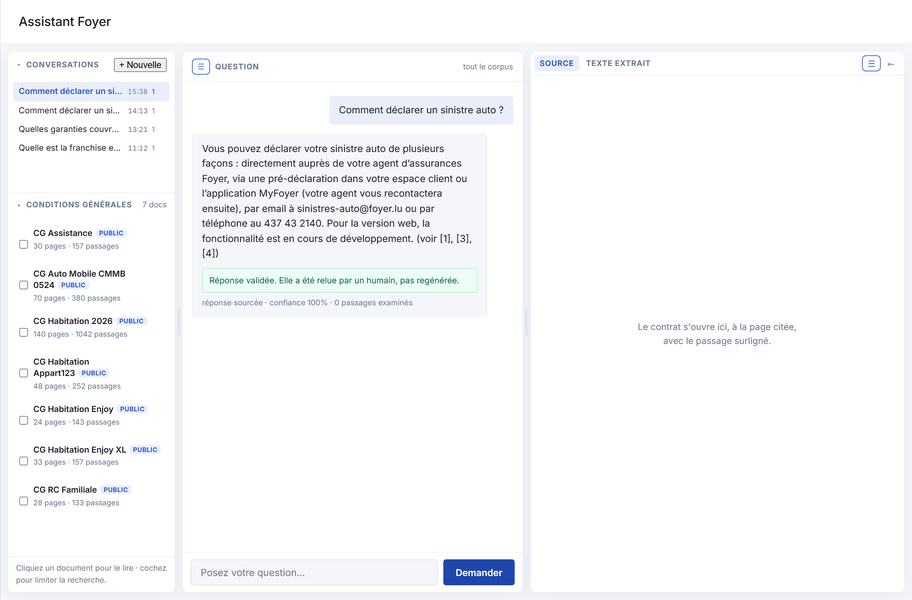
Foyer assistant
FAQ and policy wordings combined, sourced answer.
 Ask a document
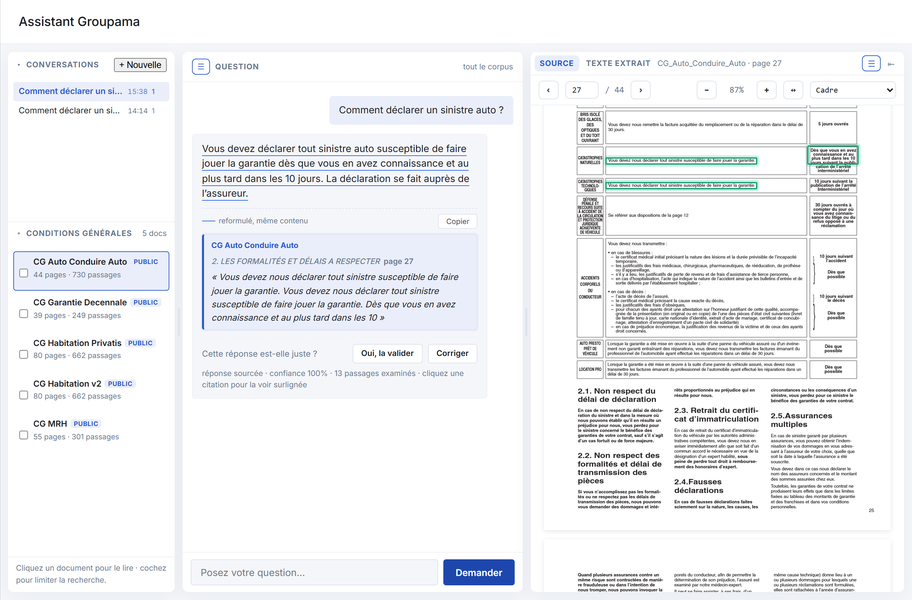
Groupama assistant
FAQ across 4 markets and policy wordings, sourced answer.
 Ask a document
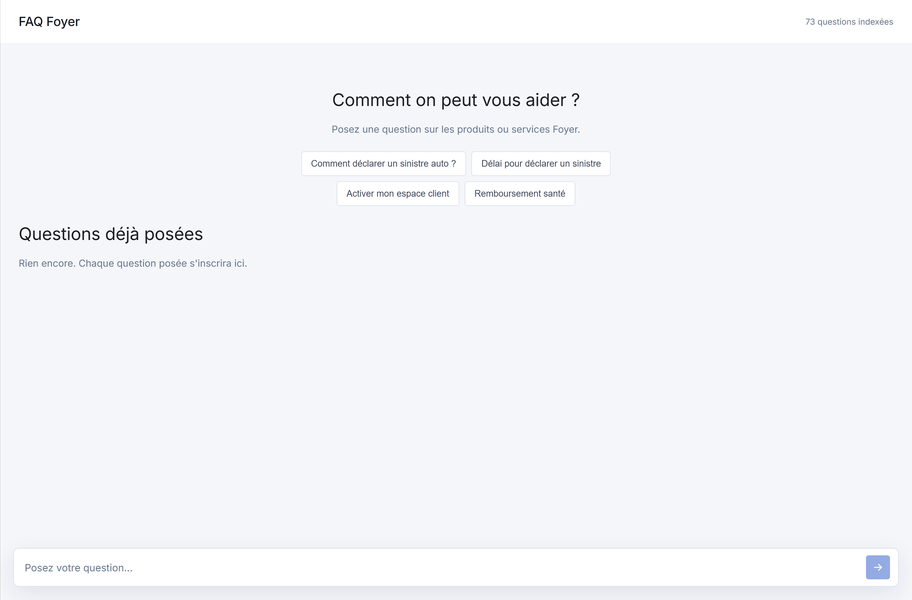
Foyer FAQ
Immediate answer when the question is in the official FAQ.
 Ask a document
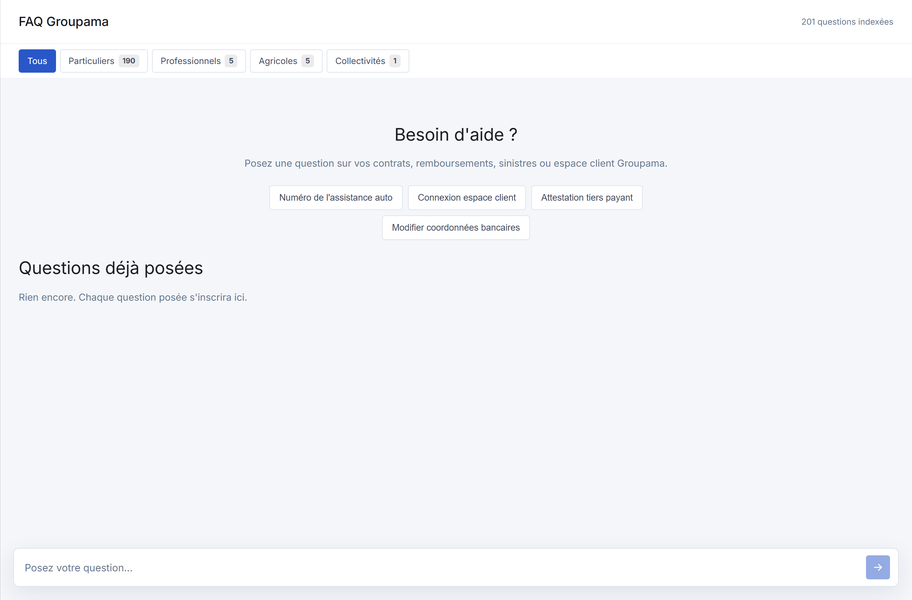
Groupama FAQ
Immediate answer when the question is in the official FAQ.
 Ask a document
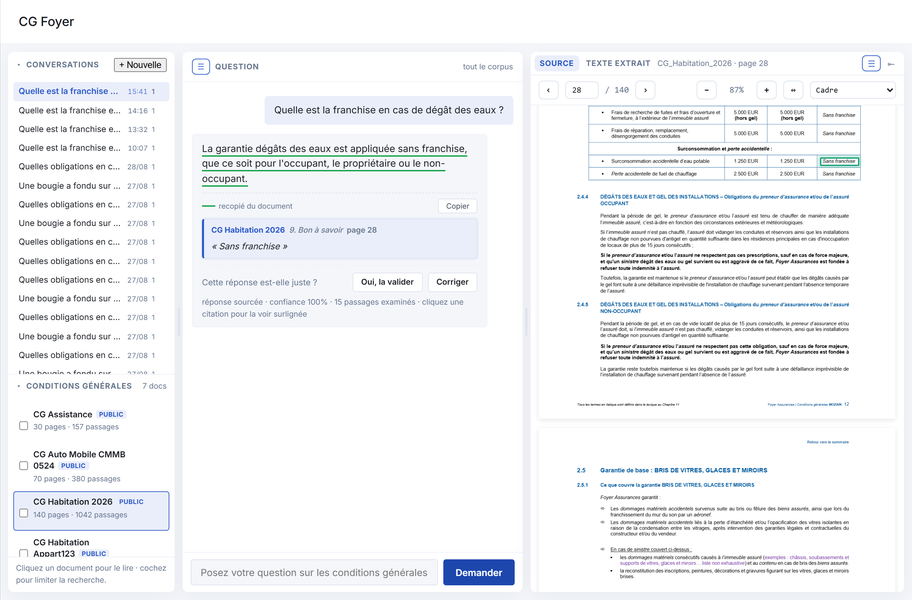
Foyer policy wording
A chat that answers only from Foyer's policy wording, clause quoted and highlighted on the page.
 Ask a document
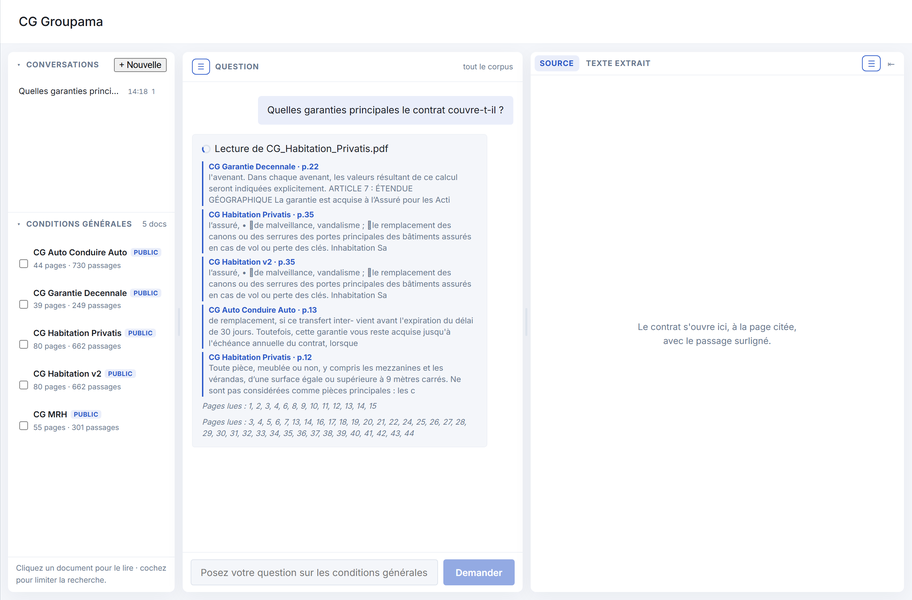
Groupama policy wording
A chat that answers only from Groupama's policy wording, clause quoted and highlighted on the page.
 Ask a document
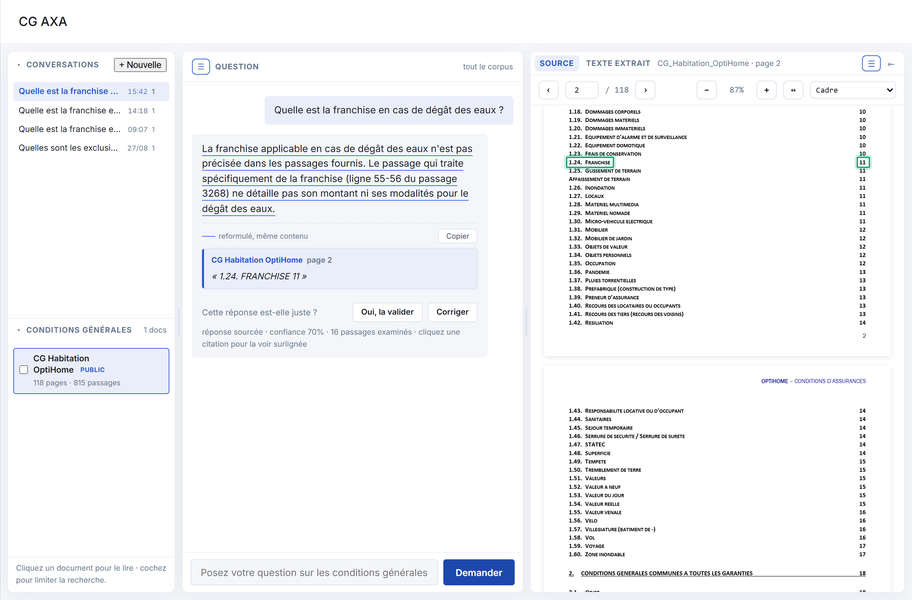
AXA policy wording
A chat that answers only from AXA's policy wording, clause quoted and highlighted on the page.
 Ask a document
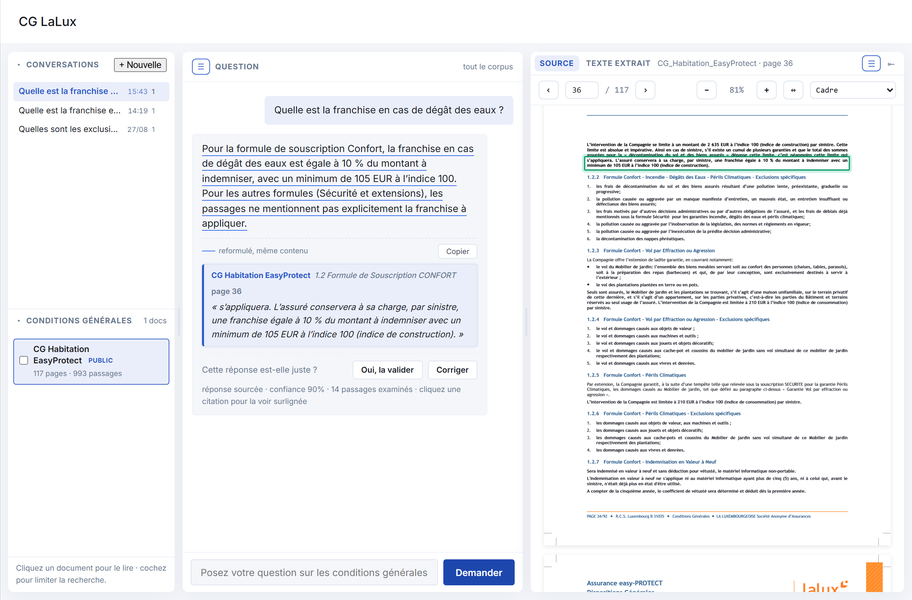
LaLux policy wording
A chat that answers only from LaLux's policy wording, clause quoted and highlighted on the page.
 Ask a document
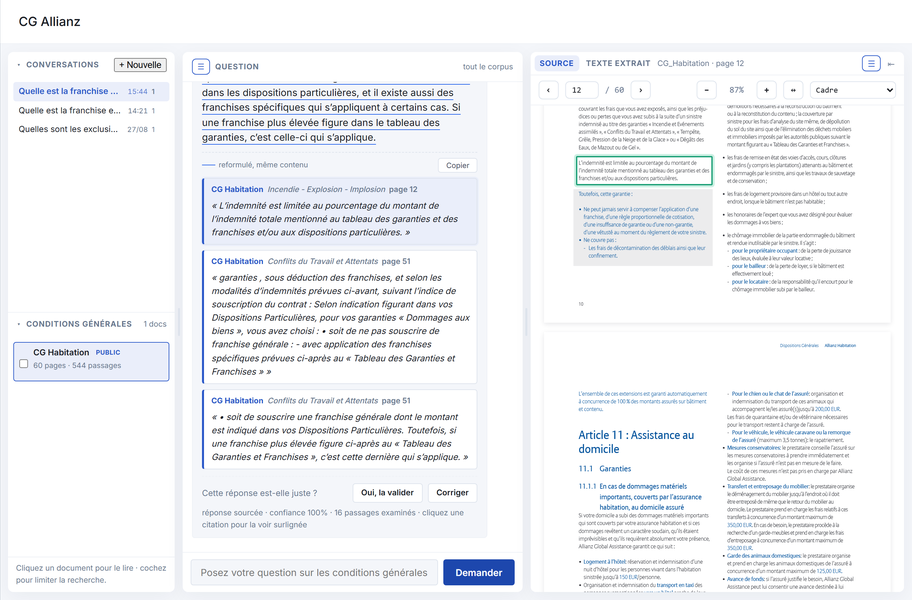
Allianz policy wording
A chat that answers only from Allianz's policy wording, clause quoted and highlighted on the page.
Extract10
 Extract
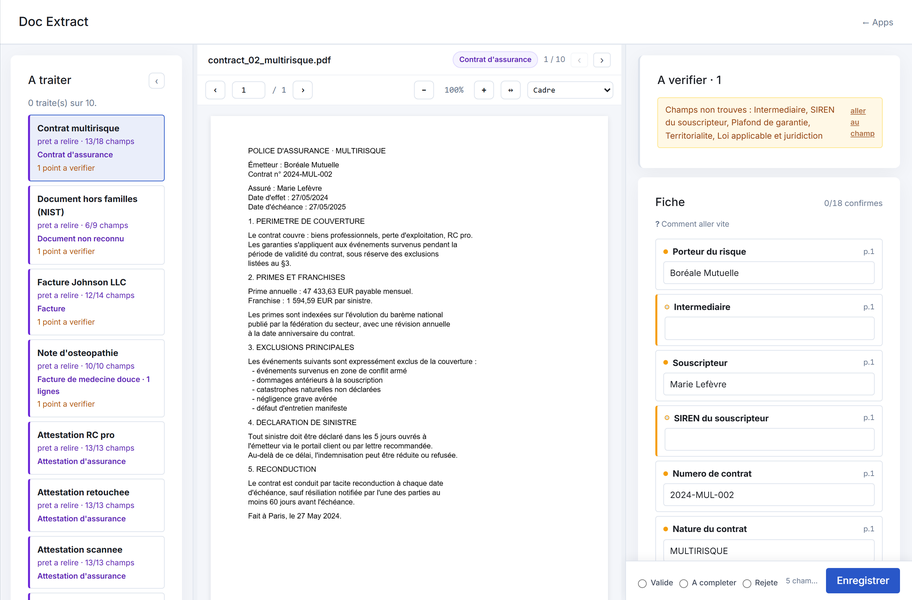
Doc Extract
Any document: the type is recognised, the grid follows. Seven families, plus a generic grid for whatever fits none.
 Extract
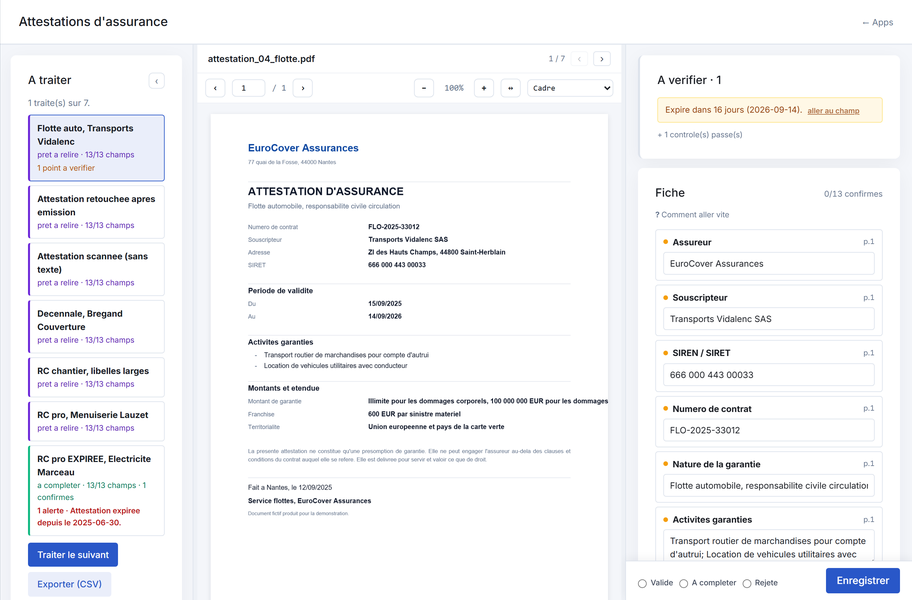
Insurance certificates
Fields extracted, source one click away, validity checked, and the site activities matched against what the certificate covers.
 Extract
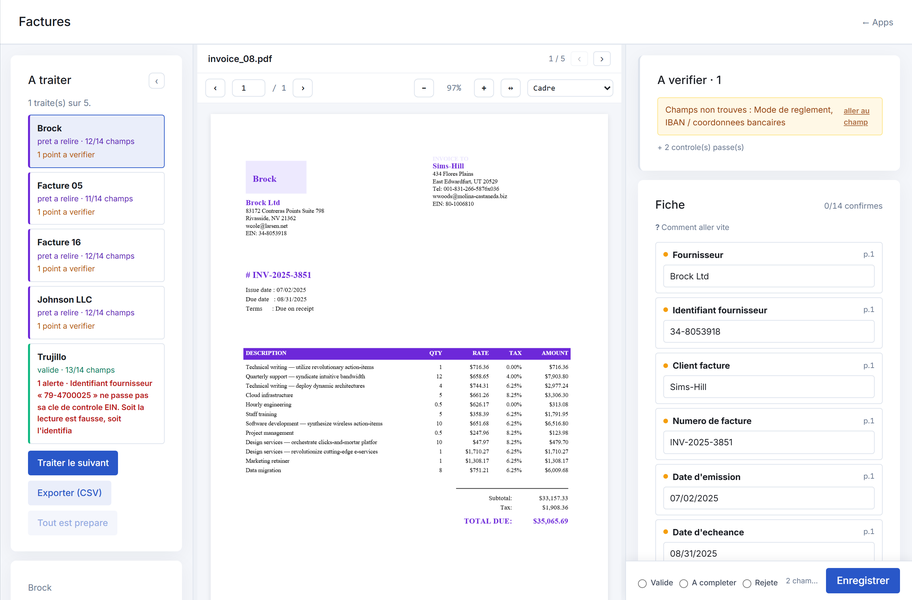
Invoices
Amounts, dates and details extracted, with the net + VAT = gross check and the IBAN and company-number keys.
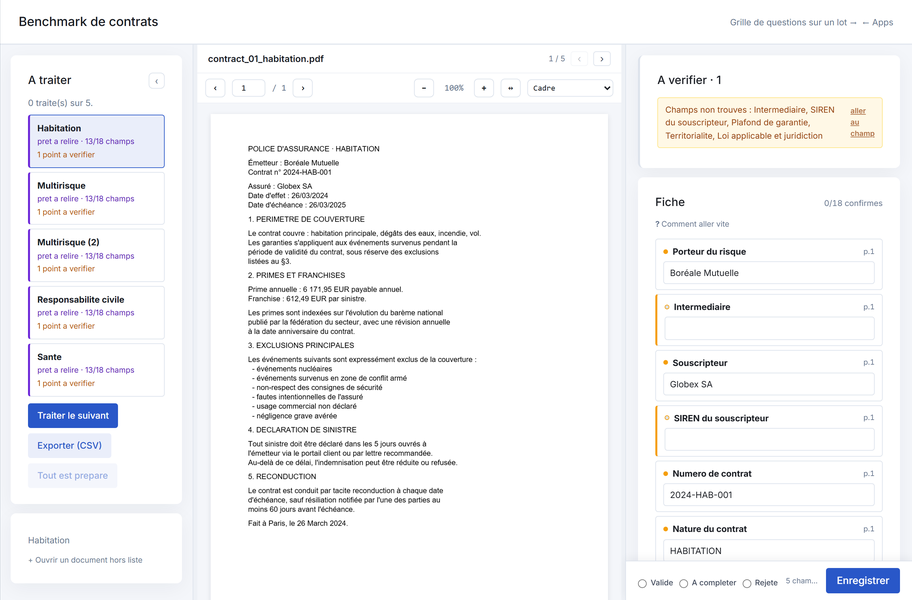 Extract
Contracts, benchmark sheet
The seventeen lines a benchmark records in every contract, sourced page by page.
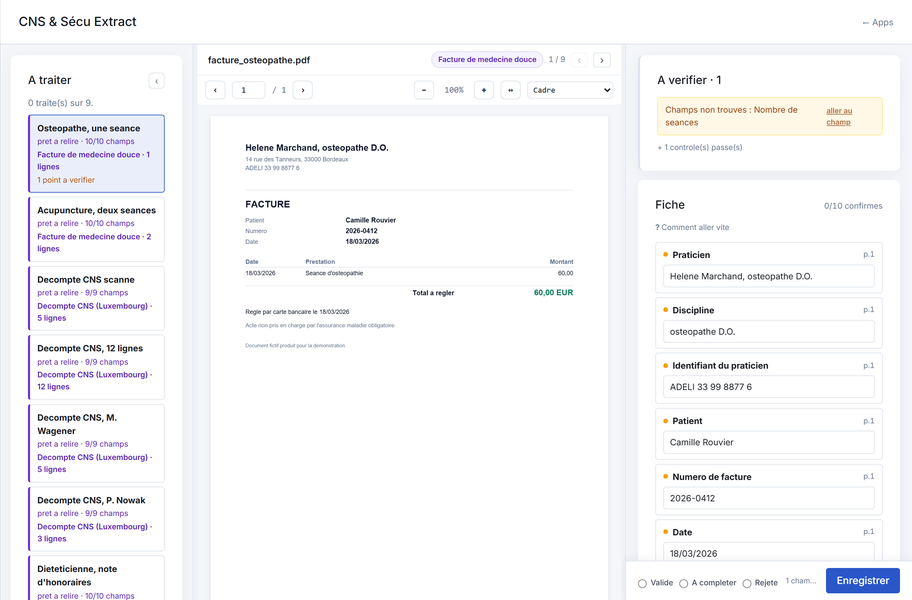 Extract
Health claim statements
Reimbursement statements: the type is recognised, the grid follows, and the benefits table is read line by line.
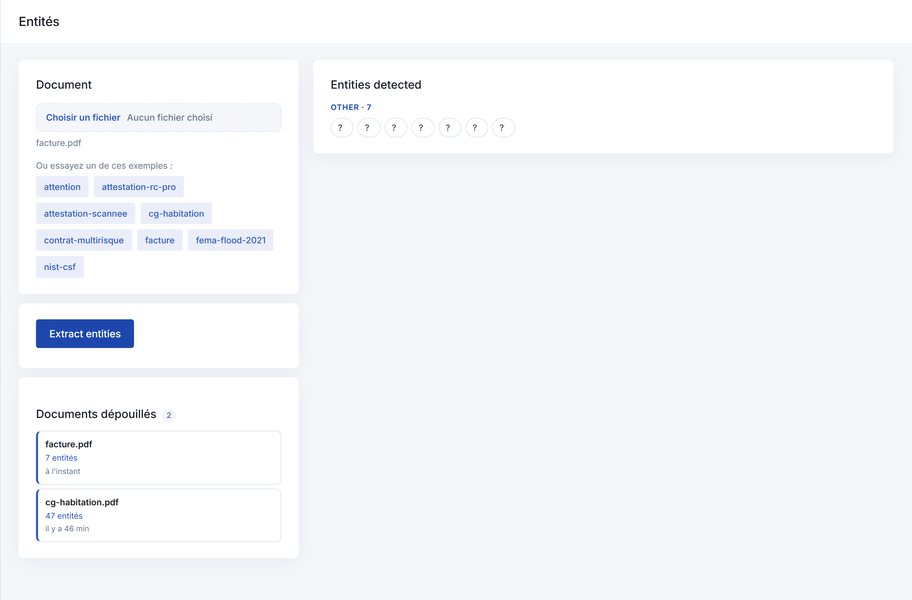 Extract
Entities
People, dates, amounts and identifiers pulled out of the document.
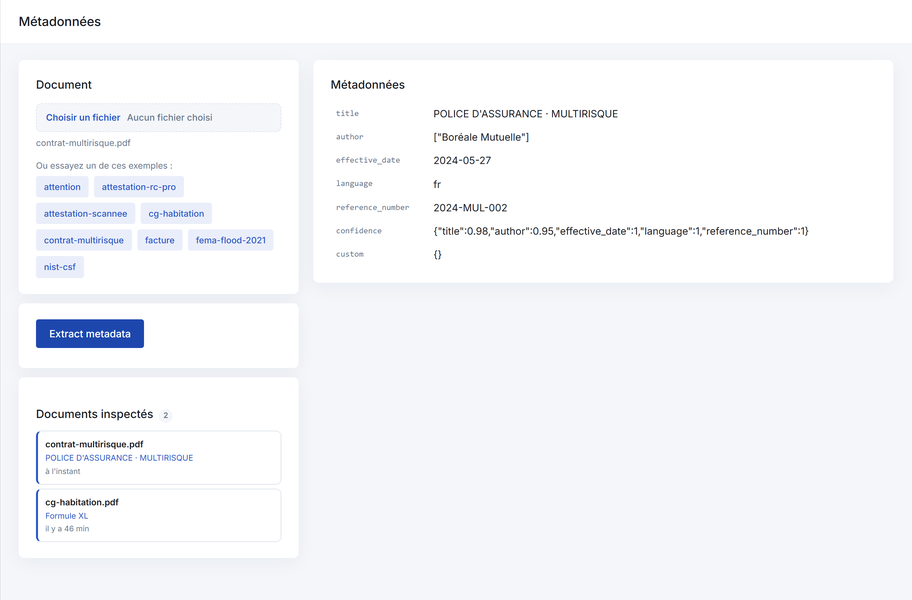 Extract
Metadata
Title, author, dates, document type, at a glance.
 Extract
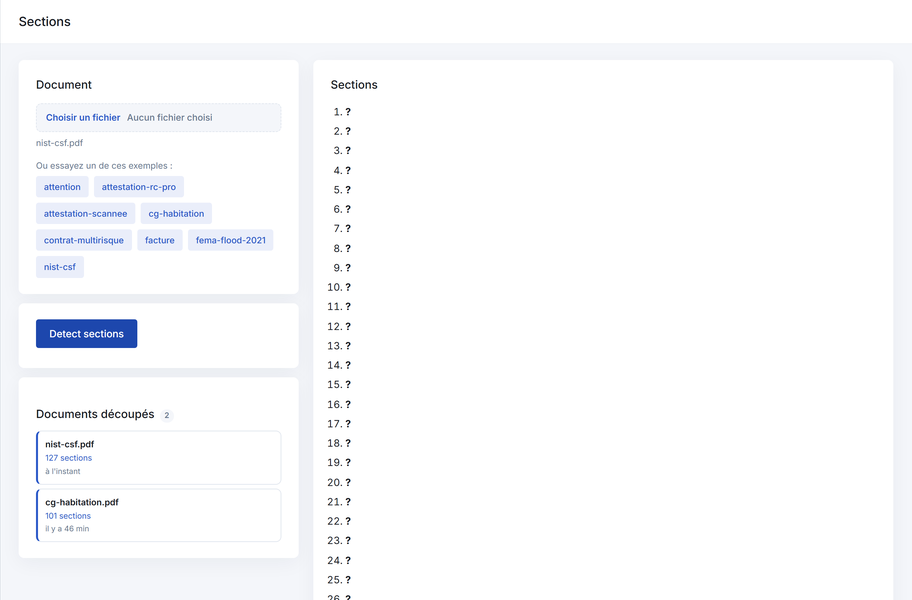
Sections
The table of contents rebuilt, even when the PDF has none.
 Extract
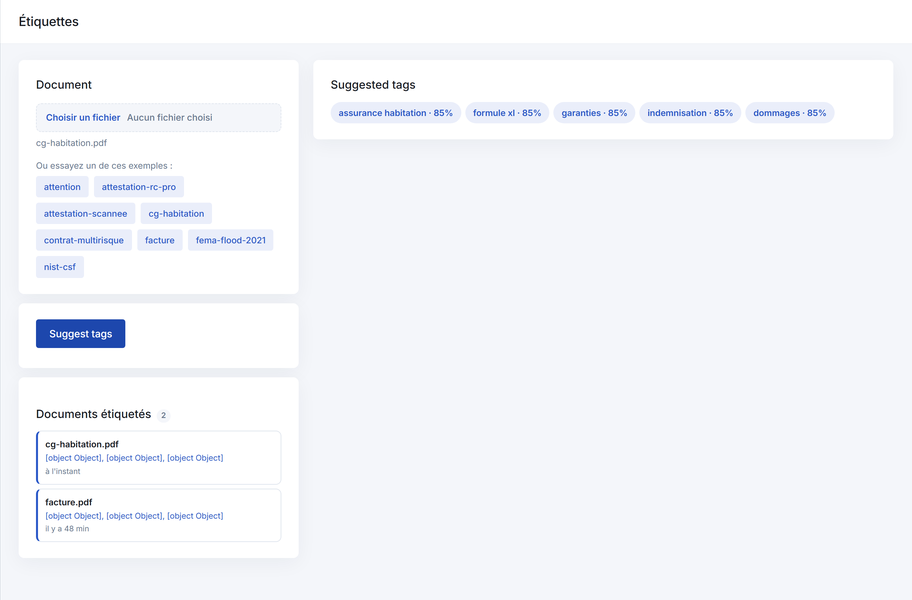
Tags
Labels proposed automatically to file your documents.
 Extract
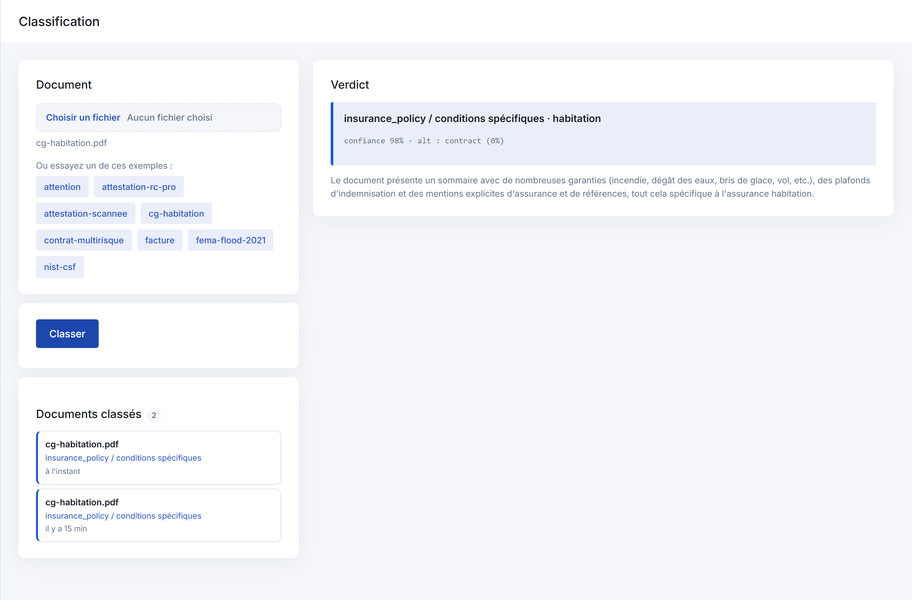
Classification
The document category (motor, home, health...) detected on sight.
Transform4
 Transform
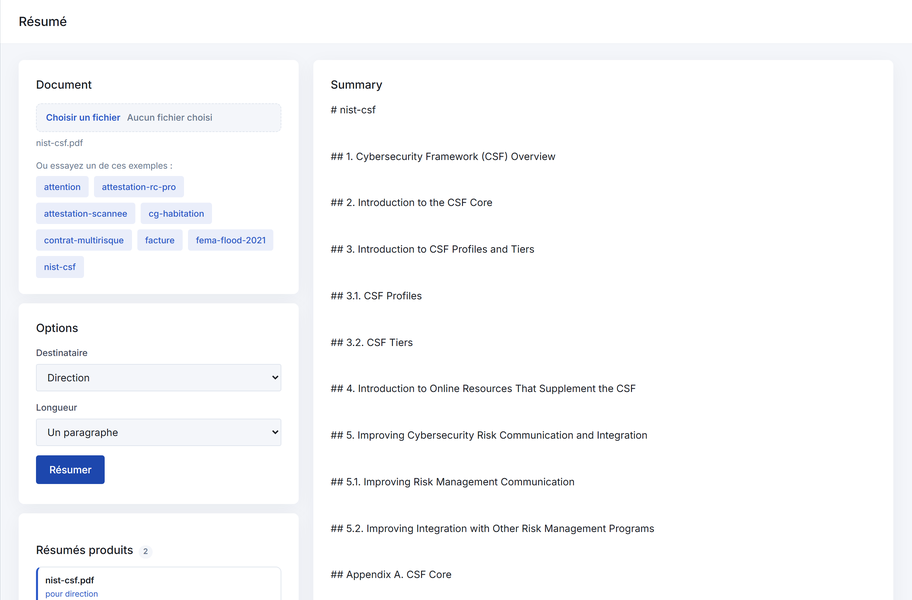
Summary
A structured summary, tuned to the audience and the length you want.
 Transform
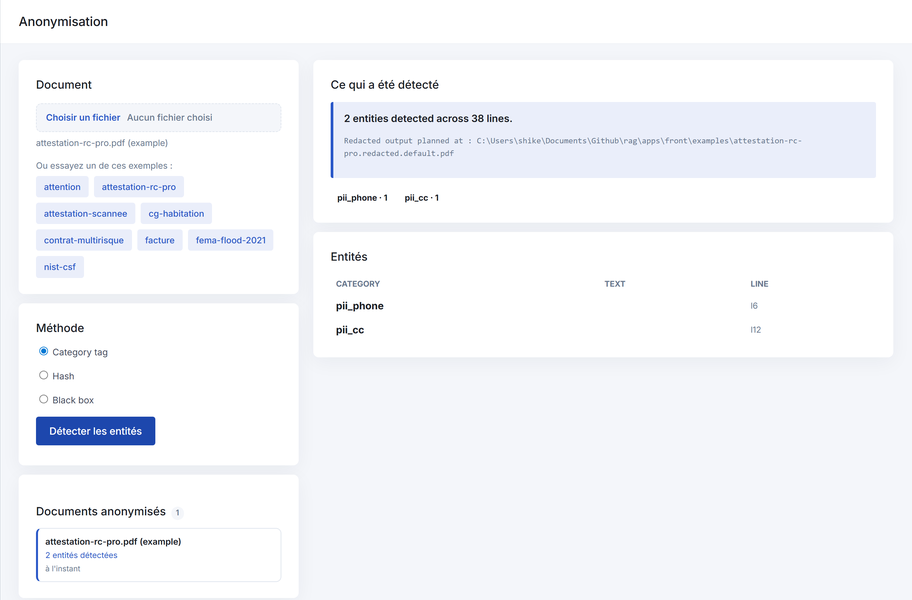
Redaction
Names, addresses and identifiers detected, then masked before sharing.
 Transform
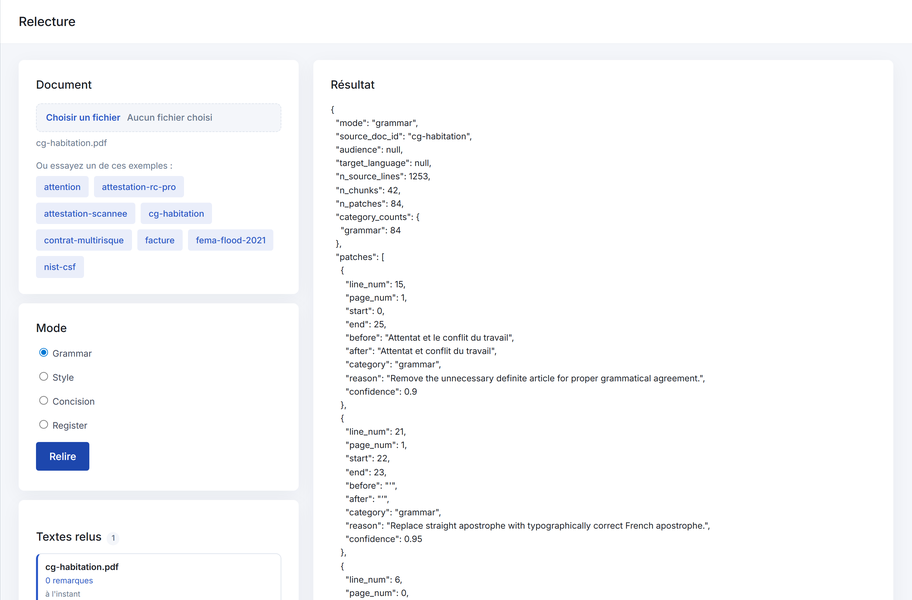
Proofreading
Grammar, style and concision reworked on your own text.
 Transform
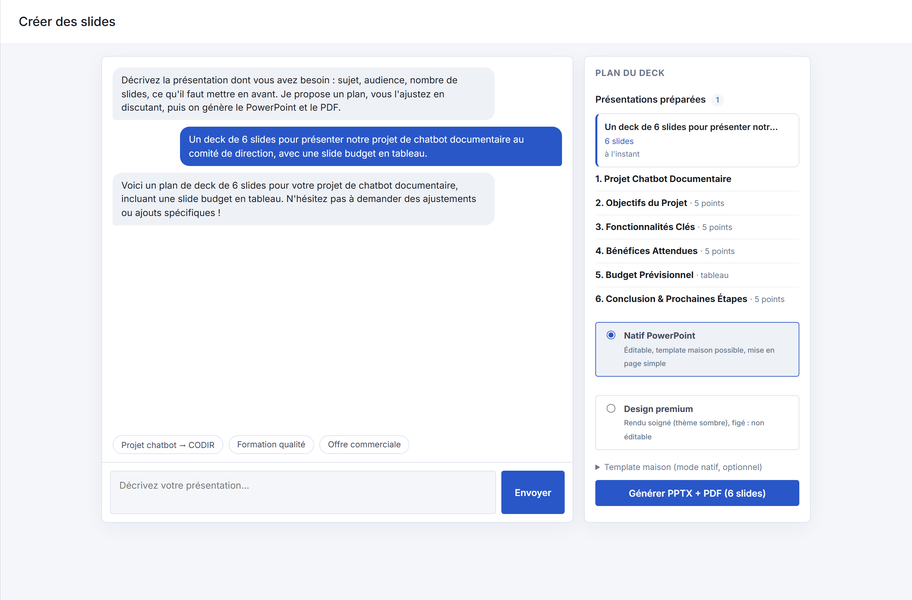
Slide deck
Describe the deck, it lays itself out in typed slides. Each correction replays the whole plan instead of patching the last one.
Compare3
 Compare
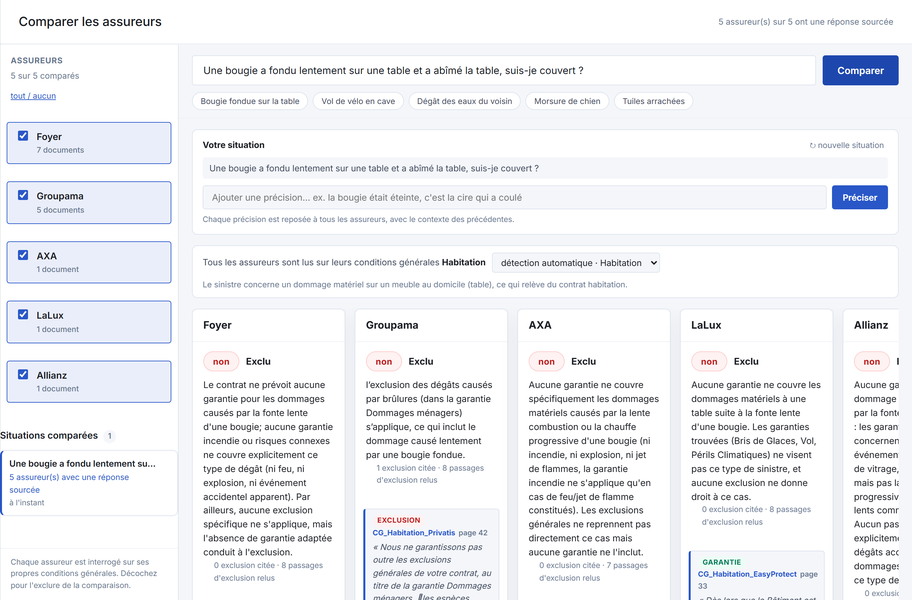
 insurers
State a situation once: each insurer answers from its own policy wording, side by side, clause quoted and page highlighted.
 Compare
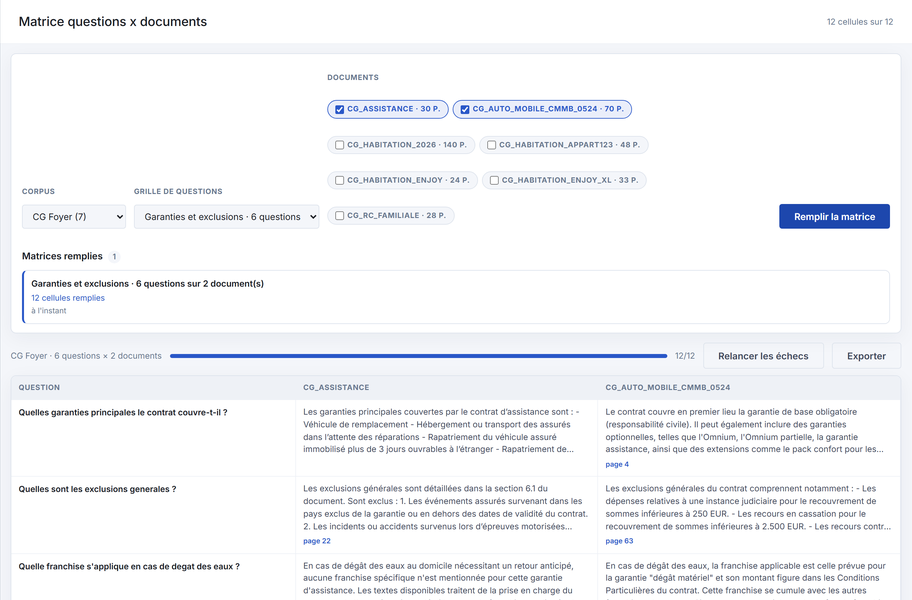
Questions x documents matrix
Run the same grid of questions across a batch of contracts: one cell per crossing, each with its quote, page and highlight.
 Compare
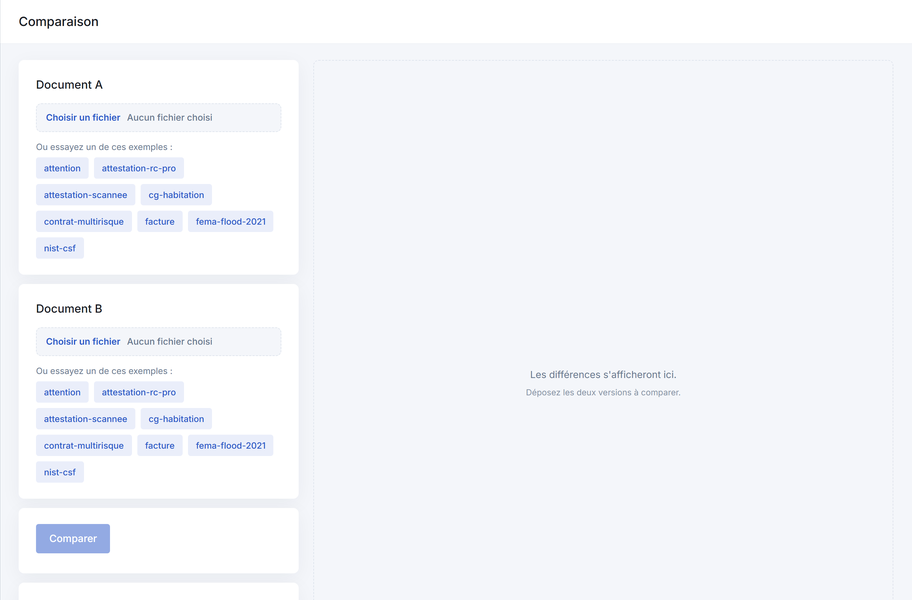
Comparison
Two versions of a document, the differences line by line.
Check2
 Check
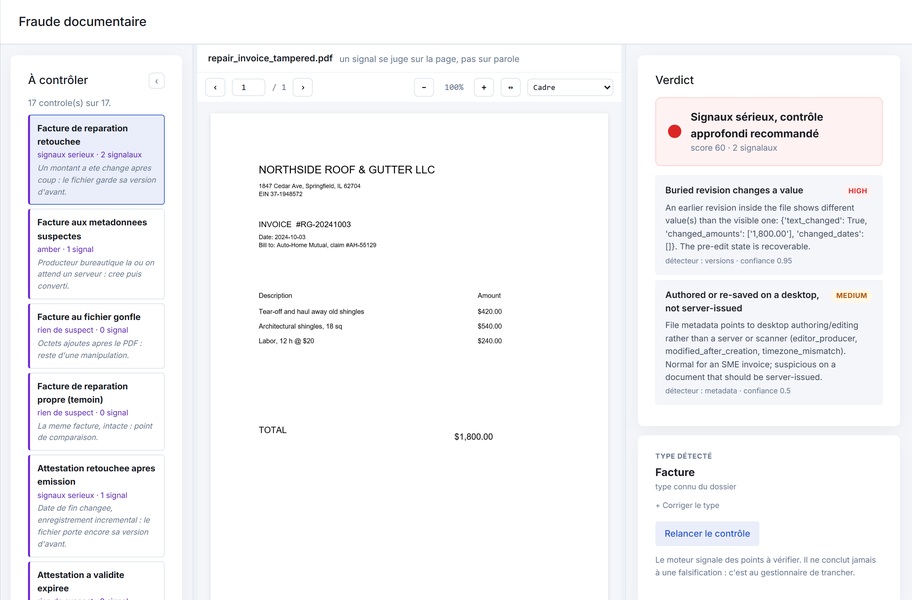
Document forensics
Drop an invoice, a bank details form or a certificate: the engine flags what deserves a look, and never concludes for you.
 Check
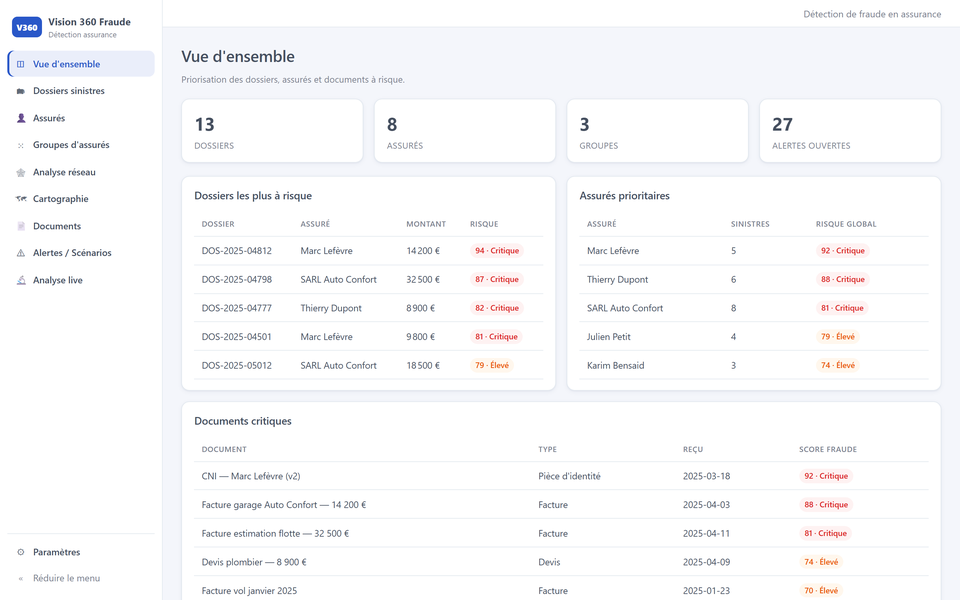
360-degree view
The all-round view of an entity, running today on fraud (scored files, networks, map), built to carry the full customer view.
Other1
 Other
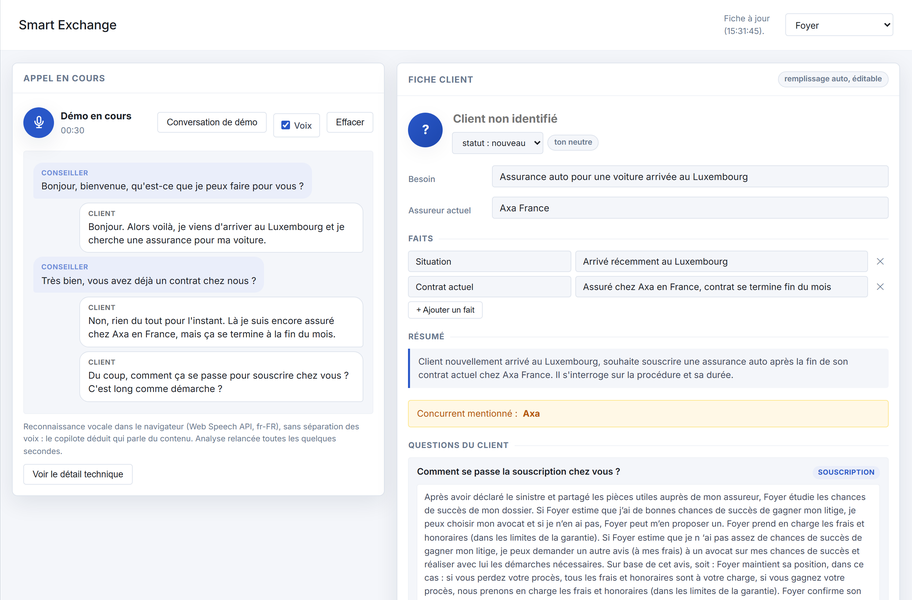
Smart Exchange
The adviser's copilot. The conversation is transcribed live and the customer sheet fills itself in.